Introduction
Introduction to MBrix platform modules and capabilities
MBrix Platform Overview
Welcome to MBrix, a comprehensive workflow automation and data management platform. This platform provides a suite of integrated modules that work together to help you build, manage, and automate your business processes.
Core Modules
Objects
Objects are custom data models that define the structure of your business data. Think of an Object as a table or database schema that stores related information with fields, relationships, and validation rules. When you create an Object, the system automatically generates standard workflows and datagrids to help you manage your data efficiently.
Workflows
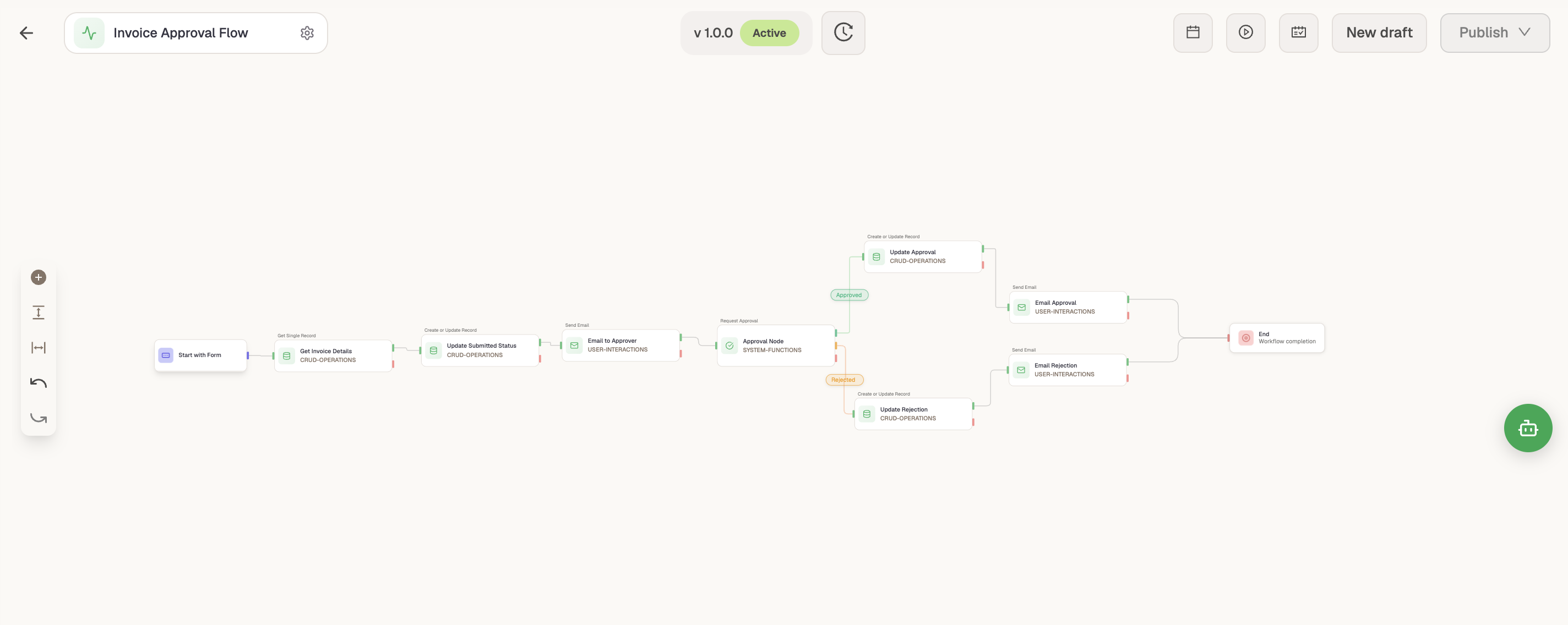
Workflows are visual automation tools that enable you to build complex business processes using drag-and-drop functions. They connect pre-built functions together to automate tasks, process data, integrate with external systems, and trigger user interactions without writing code.
Datagrids
Datagrids are interactive table views that display Object data in a structured grid format. They provide powerful filtering, sorting, grouping, and action capabilities, allowing users to efficiently view, search, and manage records with drill-down navigation to related data.
Visualization
Layouts
Layouts are custom views for displaying and managing Object records with organized sections and fields. They support multiple display types including View360 (comprehensive record views), Simple Layout (form-based), and Mixed Layout (combination views) to provide tailored interfaces for different use cases.
Reports
Reports are data visualization tools that enable you to create dynamic reports and charts from Object data using materialized views for performance optimization. They support multiple chart types, complex queries with joins and filters, and interactive data analysis with export capabilities.
Dashboards
Dashboards are customizable interfaces that combine multiple widgets (reports, datagrids, charts, KPIs) into a single unified view. They provide global filters that affect all widgets simultaneously, enabling comprehensive data visualization and analysis across multiple data sources.
Application Building
Builder
Builder is the page builder interface that allows you to create and manage application pages with customizable widgets and components. You can build complete application experiences by combining workflows, reports, datagrids, dashboards, and other components into cohesive pages.
Advance Builder
The Advance Builder extends the core page building capabilities by offering granular control over application design and behavior. Often referred to as "Free Layout", it provides developers and power users with tools for custom code integration, free-form layout configurations, and complex state management to create highly tailored application experiences.
AI & Intelligence
Agents
AI Agents are intelligent assistants that can interact with your data, answer questions, and perform tasks using natural language. They enhance the entire platform by querying Objects, accessing Workflows, generating insights from Reports, and providing conversational interfaces within your applications. The platform also offers the flexibility to connect and utilize your preferred external AI models and providers.
Getting Started
Each module includes detailed documentation to help you get started:
- Objects - Learn how to create and manage your data models
- Workflows - Build automated business processes
- Datagrids - Build interactive data grids
- Layouts - Design custom record views
- Reports - Create data visualizations and reports
- Dashboards - Build unified dashboard views
- Builder - Create application pages
- Advance Builder - Design application experiences with free layout
- Agents - Create and configure AI agents