User Keys
Issue virtual keys that applications use to access the FinOps AI Gateway with governance attached.
User Keys (virtual keys) are how applications authenticate to the FinOps AI Gateway. Each key carries an organization scope, optional budgets, rate limits, and model restrictions.
Access
Open Finops Config → User Keys.
Create a virtual key
- Click + Create.
- Set Name — a recognizable label (e.g.
Dev user 2,Production chatbot). - Set Description (optional).
- Choose Organization — the tenant visibility org for this key.
- Set Governance Scope Organization when budget, rate limit, and routing should follow a different org than the visibility org.
- Toggle Is Active on to allow traffic.
- Optionally enable Calendar Aligned for budgets that reset on calendar boundaries (day/week/month/year in UTC).
- Click Submit.
What a virtual key controls
| Capability | Configured via |
|---|---|
| Model allowlist / blocklist | Organization Models or key-scoped model rules |
| Spend cap | Organization Budget or key-level budget |
| Request/token throttling | Rate Limit or org-level limits |
| Routing behavior | Routing Rules scoped to the key or its org |
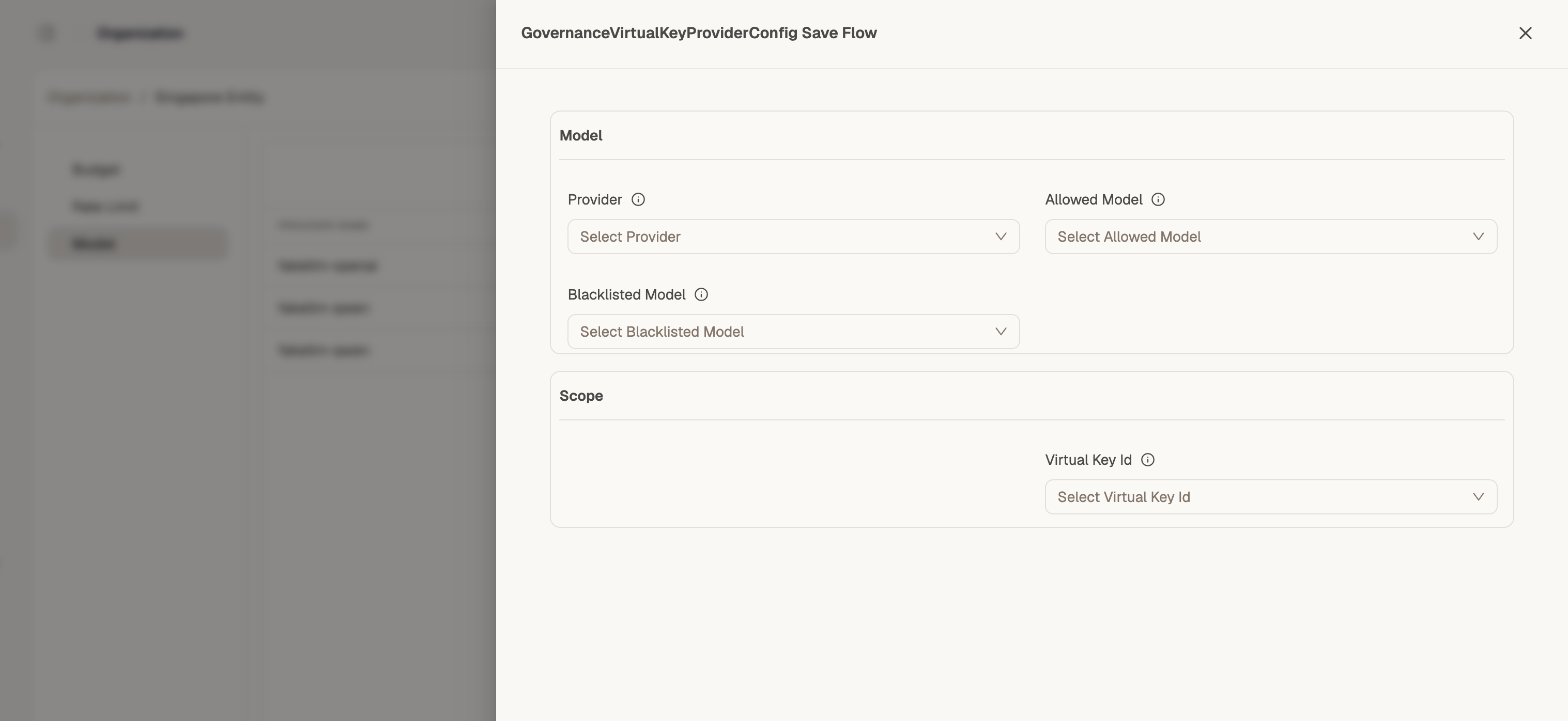
Model rules for a virtual key
When creating a model rule, select the virtual key in the Virtual Key Id field of GovernanceVirtualKeyProviderConfig Save Flow:
Next steps
- Test the key in the Simulator
- Connect your application using Connect Your Apps
Monetize360 issues a signed JWT for each virtual key. Applications send this token in the Authorization header — never embed provider API keys in client code.