Organization Budget
Set spending limits and reset periods for organizations in FinOps Config.
Organization budgets cap AI spend for a specific entity in your hierarchy. When usage exceeds the limit, the gateway blocks further requests until the budget resets.
Budget list
Navigate to Organization → select an org → Budget.
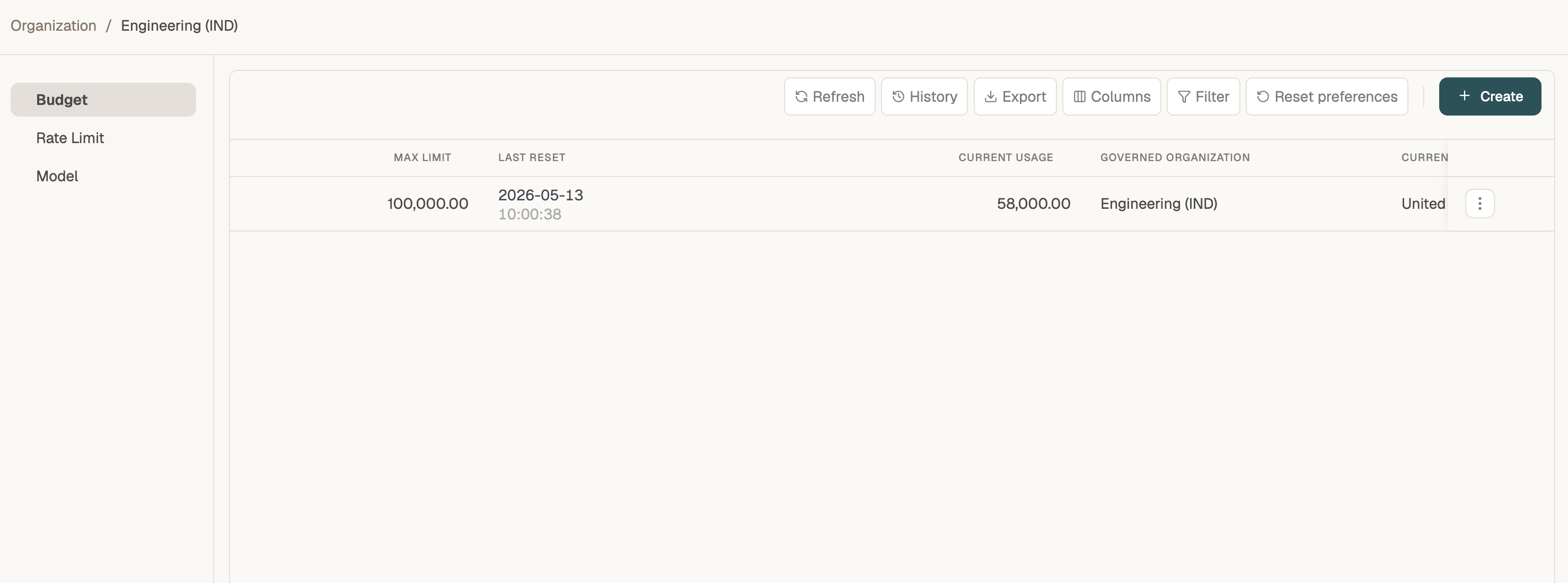
| Column | Description |
|---|---|
| Max Limit | Maximum spend allowed in the budget period |
| Last Reset | When the current budget window started |
| Current Usage | Spend consumed so far in this period |
| Governed Organization | The organization this budget applies to |
| Currency | Currency for the limit and usage amounts |
Create a budget
Click + Create to open the GovernanceBudget Save Flow.
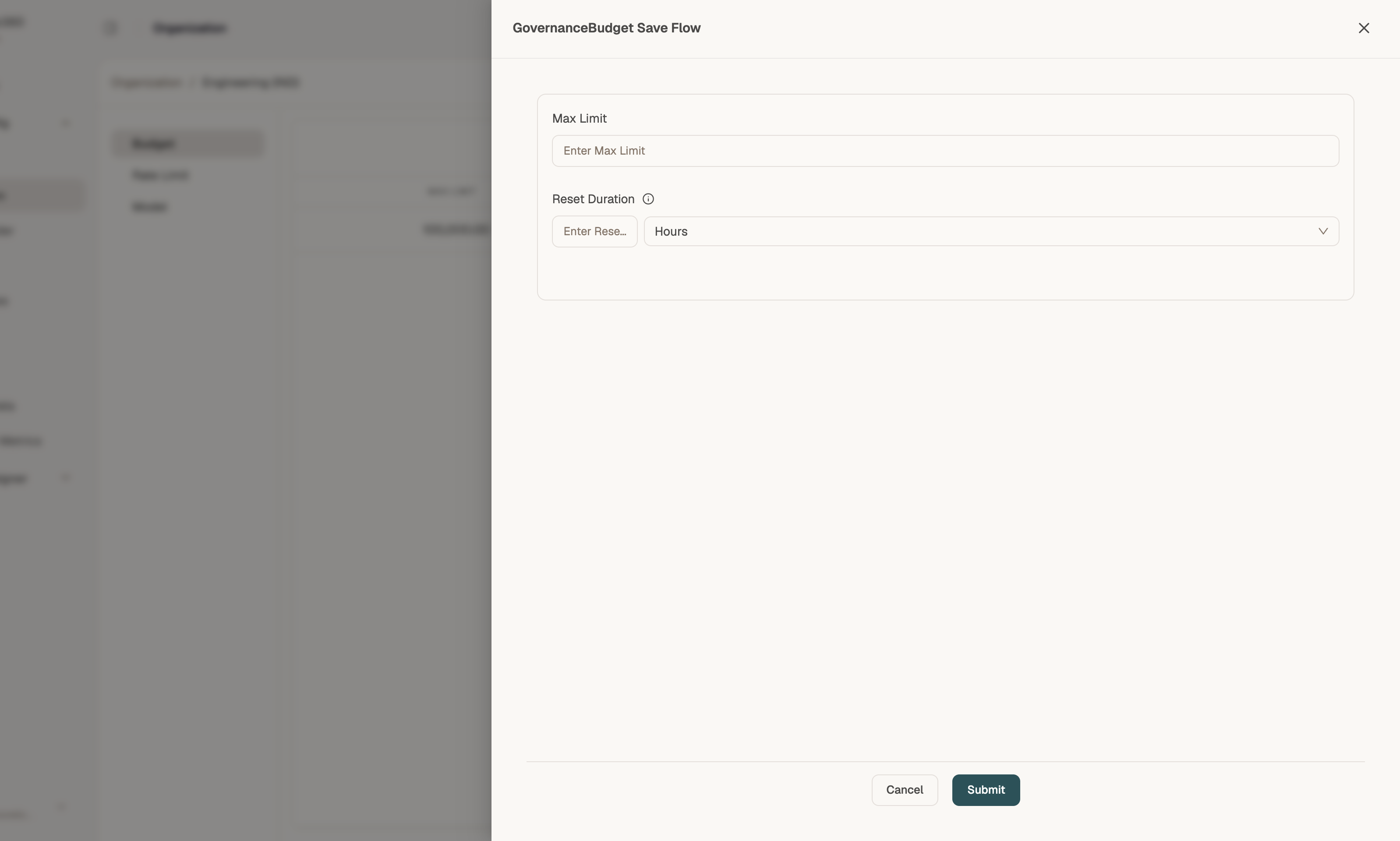
| Field | Description |
|---|---|
| Max Limit | Dollar (or tenant currency) cap for the period — e.g. 100000 |
| Reset Duration | How often the budget resets — enter a number and choose the unit (Hours, Days, Weeks, Months, Years). Examples: 1 Day, 1 Month |
Click Submit to activate the budget. Usage updates automatically as applications consume tokens through the gateway.
Tips
- Set budgets at the department level for team accountability; roll up visibility on the Dashboard.
- Use the Simulator to verify budget blocks before production traffic hits the limit.
- Budgets can also be attached to virtual keys and model providers — see User Keys and Model Provider.