Organization
Build your organizational hierarchy for FinOps governance — regions, legal entities, and departments.
Organizations define who owns AI spend and policy. Every budget, rate limit, model allowlist, and virtual key can be scoped to a node in this hierarchy.
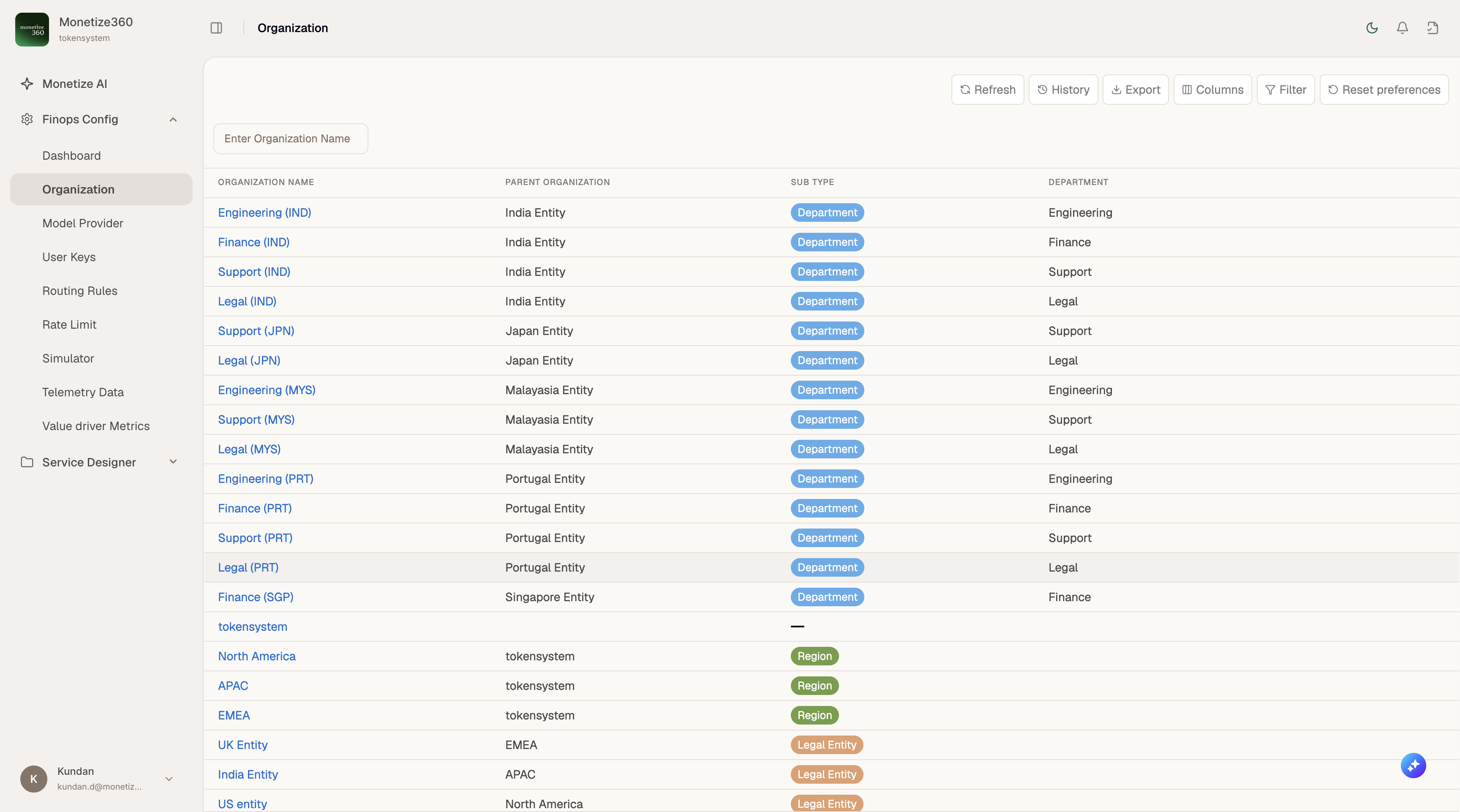
Organization types
| Sub Type | Purpose | Example |
|---|---|---|
| Region | Geographic grouping | APAC, EMEA, North America |
| Legal Entity | Corporate or tax entity | India Entity, UK Entity, US entity |
| Department | Functional team | Engineering, Finance, Support, Legal |
Hierarchy
Organizations form a tree. A department typically rolls up through a legal entity and region to your tenant root (e.g. tokensystem).
Hierarchy: tokensystem tenant → Region e.g. APAC → Legal Entity e.g. India Entity → Department e.g. Engineering
Using the page
- Open Finops Config → Organization.
- Use Enter Organization Name to search.
- Click an organization name (blue link) to open its detail view — Budget, Rate Limit, and Model tabs.
- Use + Create to add a new organization. Set Parent Organization and Sub Type so the hierarchy stays consistent.
Detail views
| Tab | Documentation |
|---|---|
| Budget | Organization Budget |
| Rate Limit | Organization Rate Limits |
| Model | Organization Models |
Create your hierarchy before issuing virtual keys. Virtual keys inherit governance scope from their assigned organization.