Organization Models
Control which AI models an organization may use through allowed and blacklisted model rules.
Organization model rules restrict which provider models are available to users and applications scoped to that organization.
Model allowlist
Navigate to Organization → select an org → Model.
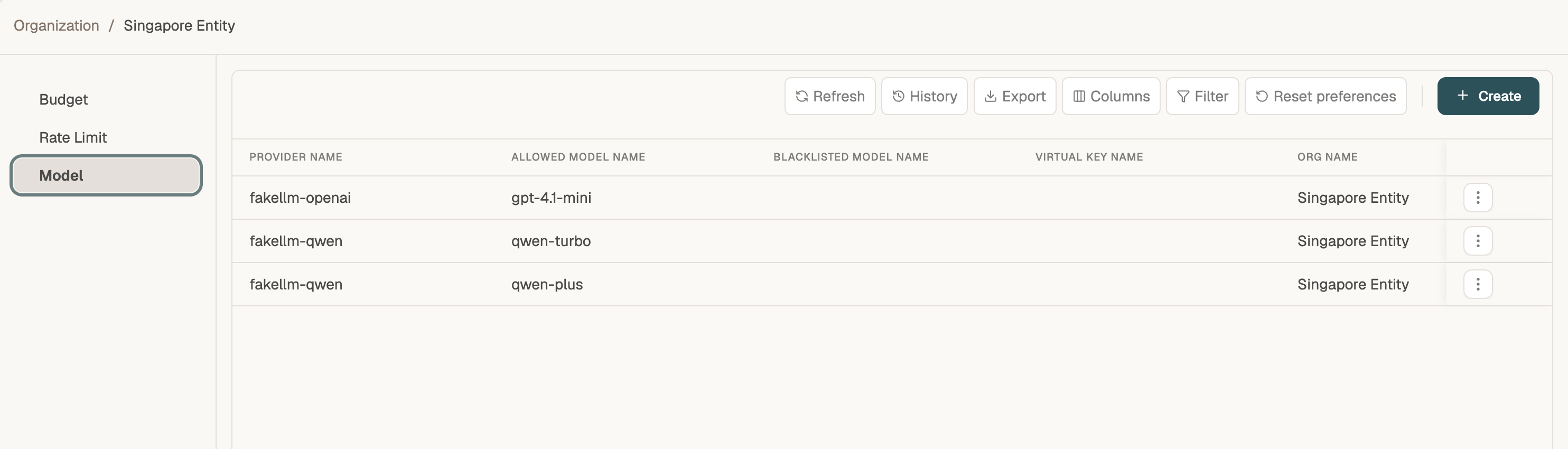
| Column | Description |
|---|---|
| Provider Name | The configured model provider (e.g. fakellm-openai) |
| Allowed Model Name | Models explicitly permitted for this organization |
| Blacklisted Model Name | Models explicitly denied (optional) |
| Virtual Key Name | When set, the rule applies to a specific virtual key |
| Org Name | The governed organization |
Create a model rule
Click + Create to open GovernanceVirtualKeyProviderConfig Save Flow.
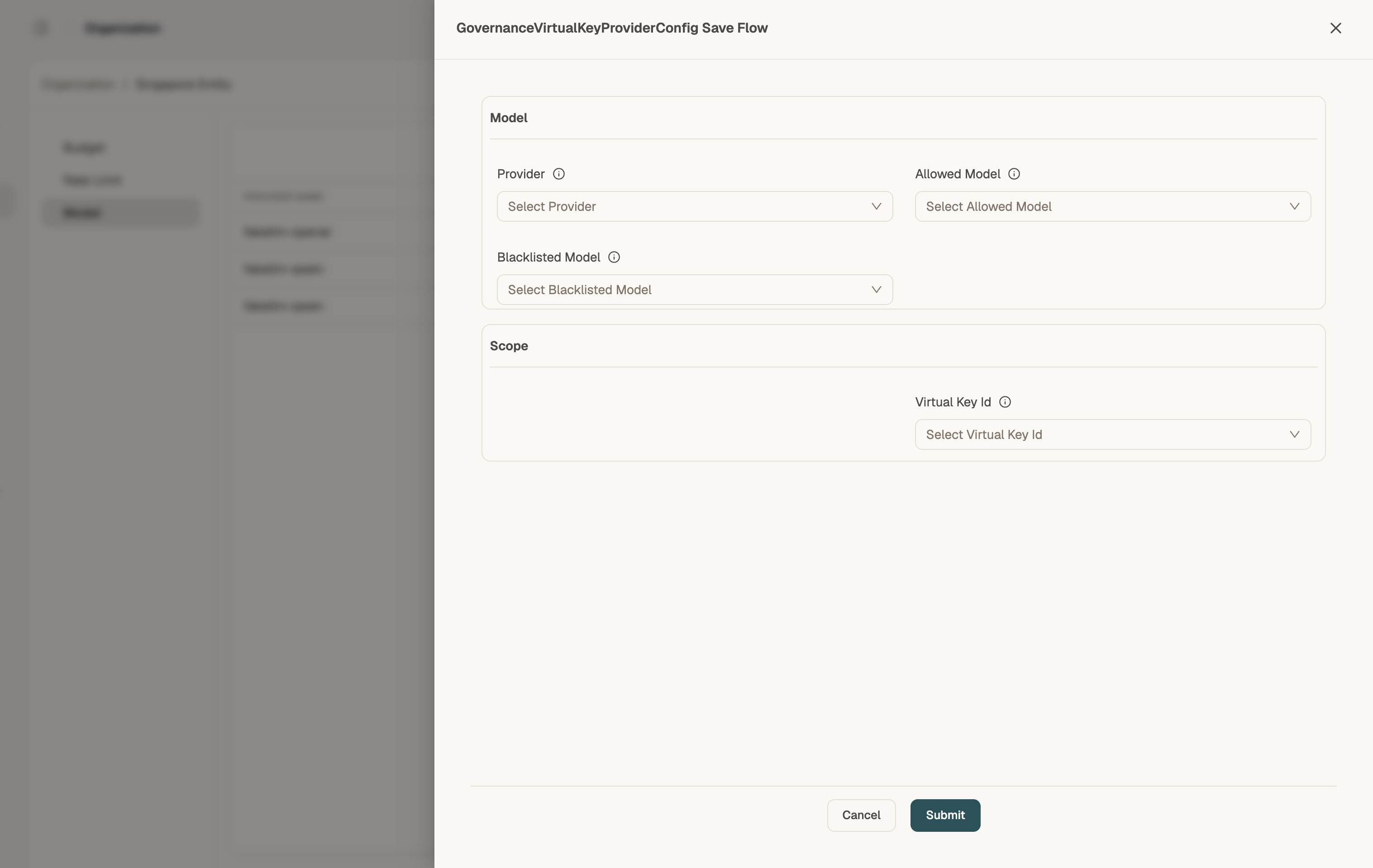
Model section
| Field | Description |
|---|---|
| Provider | Select the model provider |
| Allowed Model | Choose the model this org may use |
| Blacklisted Model | Optionally block a specific model even if otherwise allowed |
Scope section
| Field | Description |
|---|---|
| Virtual Key Id | Link the rule to a specific virtual key, or leave scoped to the organization |
Click Submit to save.
Allowed-model rules work together with User Keys. A request must pass both organization and virtual-key model policies.
Related
- Model Provider → Models — define which models exist and their pricing
- Simulator — test that blocked models return clear errors