Model Provider
Register AI providers, connect API keys, and manage models in FinOps Config.
Model providers are the upstream AI services your gateway routes to — OpenAI, Anthropic, Google, Azure, custom endpoints, and more.
Open Finops Config → Model Provider to browse configured providers, add new ones, and manage keys. Select a provider from the list to view its configured keys on the right.
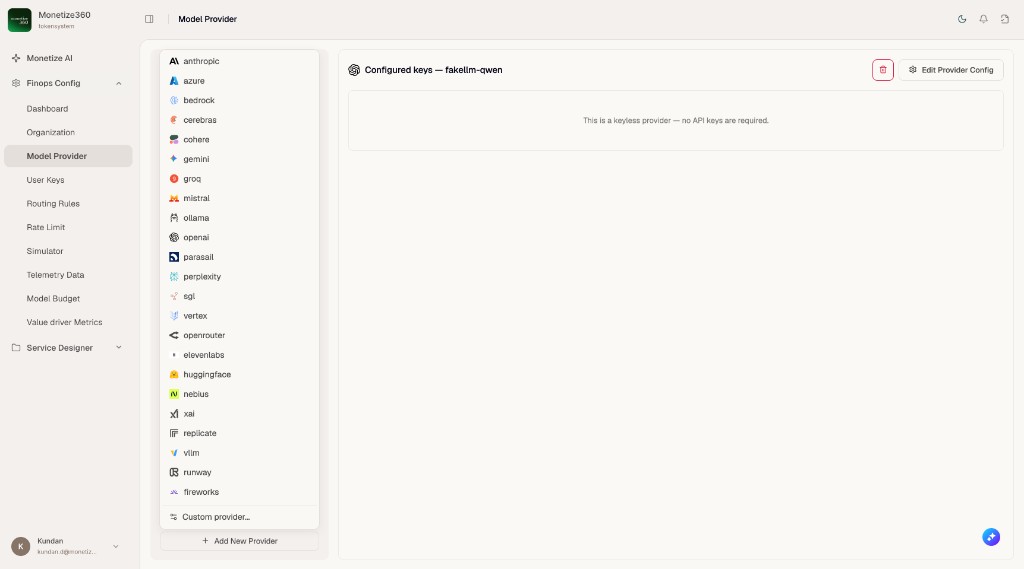
Provider list
| Column | Description |
|---|---|
| Name | Unique identifier for this provider in your tenant |
| Status | Whether the provider connection is healthy |
| Description | Optional notes for administrators |
| Send Back Raw Request/Response | Whether raw payloads are returned to clients (usually No) |
| Store Raw Request | Whether full request bodies are persisted in logs |
Click a provider name to open its detail tabs: Keys, Model, Budget, and Rate Limit.
Create a provider
Click + Create on the list page.
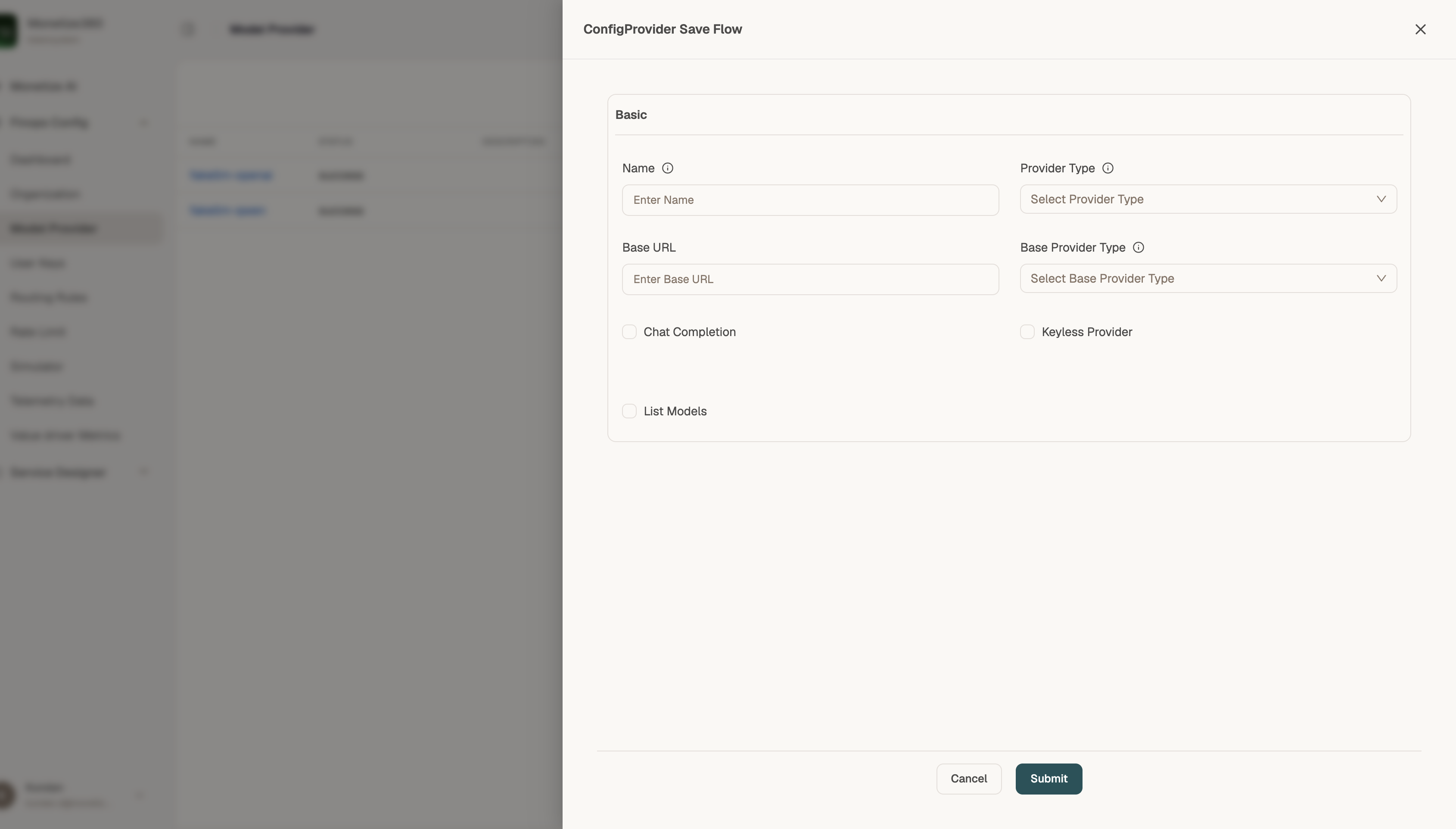
Basic fields
| Field | Description |
|---|---|
| Name | Display name for this provider configuration |
| Provider Type | Standard provider (OpenAI, Anthropic, etc.) or custom |
| Base URL | API endpoint — use the vendor URL or your proxy |
| Base Provider Type | Underlying protocol when using a custom wrapper |
Feature toggles
| Toggle | Purpose |
|---|---|
| Chat Completion | Enable chat/inference requests |
| Keyless Provider | Provider does not require an API key |
| List Models | Allow dynamic model discovery from the provider |
Click Edit Provider Config on a provider to open advanced settings. Use the API Structure tab to enable or disable specific request types (chat completion, embeddings, image generation, rerank, OCR, and more) for that provider.
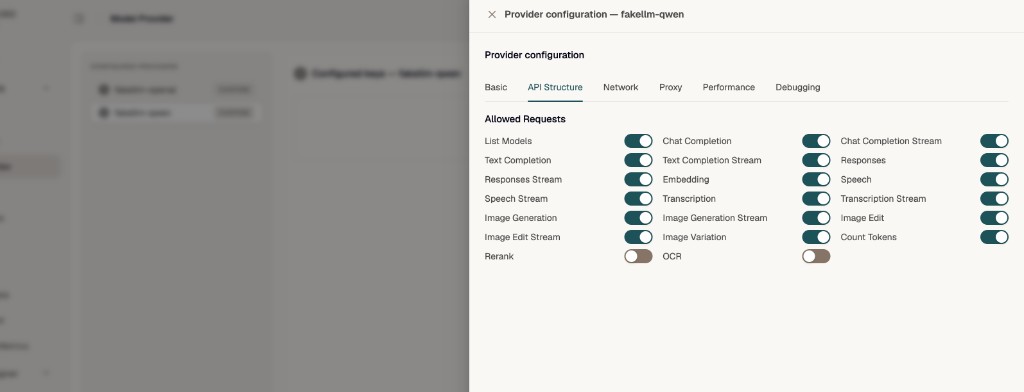
Click Submit to save, then add API keys and model pricing.
Detail tabs
| Tab | Documentation |
|---|---|
| Keys | Provider Keys |
| Model | Provider Models |