Token Factory
Billing
Payment gateway, signup auto-provision, and referral codes for wallet top-ups.
Open Revenue → Billing Settings.
Billing Settings configures the payment gateway, referral codes, and signup auto-provision used for wallet top-ups. The header shows the current credit balance.
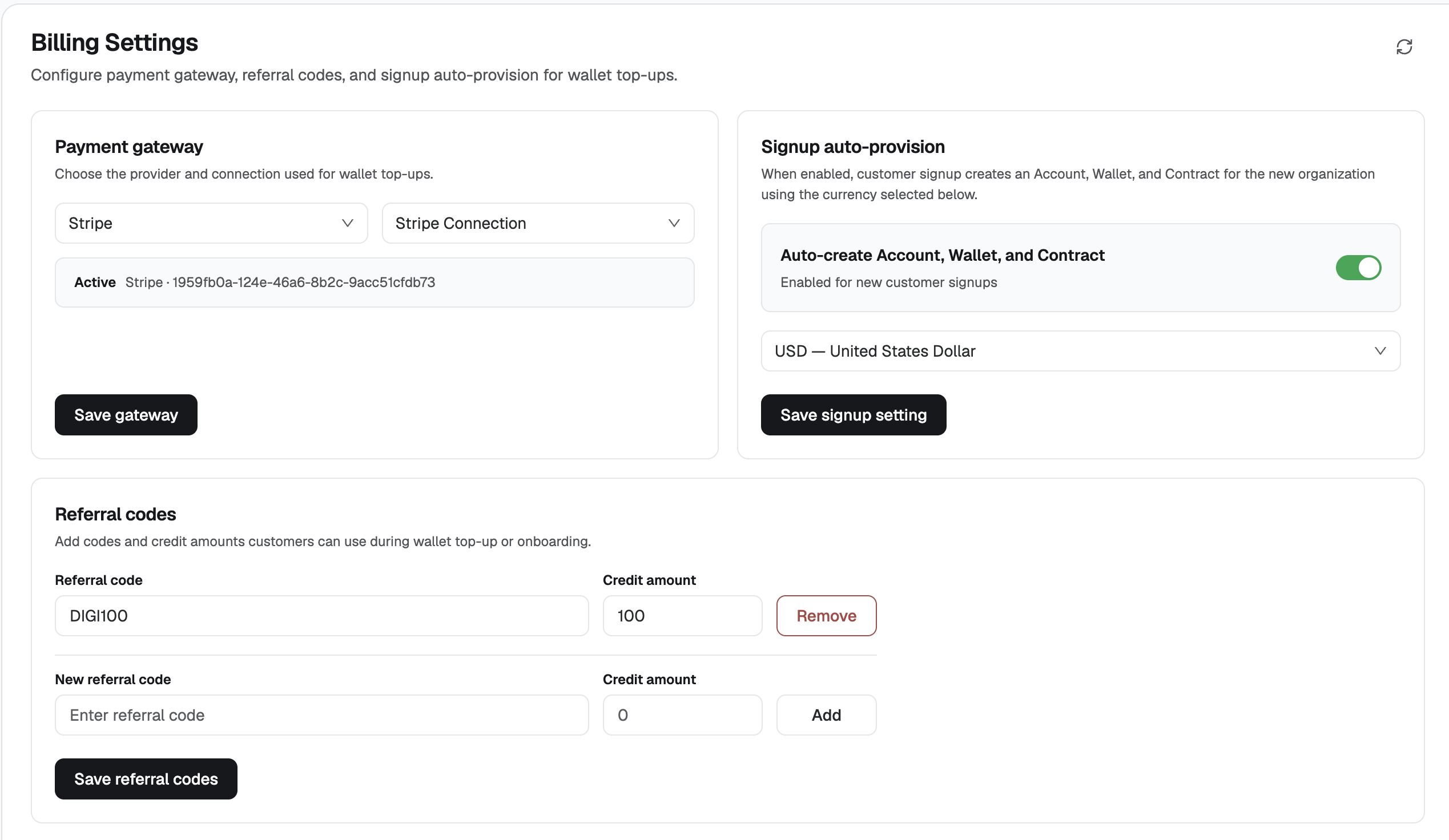
Payment gateway
Choose the provider and connection used for wallet top-ups.
- Select the provider, for example Stripe.
- Select the connection, for example Stripe Connection.
- Confirm the Active line shows that provider and its connection id.
- Click Save gateway.
Signup auto-provision
When this is enabled, a new customer signup creates an Account, a Wallet, and a Contract for the new organization, using the currency selected here.
- Turn on Auto-create Account, Wallet, and Contract.
- Select the currency, for example USD — United States Dollar.
- Click Save signup setting.
Referral codes
Referral codes carry a credit amount that customers can apply during wallet top-up or onboarding.
Each saved code shows the code, the credit amount, and Remove.
To add a code:
- Enter the code under New referral code.
- Set Credit amount.
- Click Add.
- Click Save referral codes.