Telemetry Data
Review actual token consumption, cost, and usage by agent, department, and model.
Telemetry Data provides row-level visibility into AI consumption across your tenant. Use it for chargeback, anomaly detection, and reconciling dashboard KPIs.
Actual Token Consumption
Open Finops Config → Telemetry Data (or the Actual Token Consumption view).
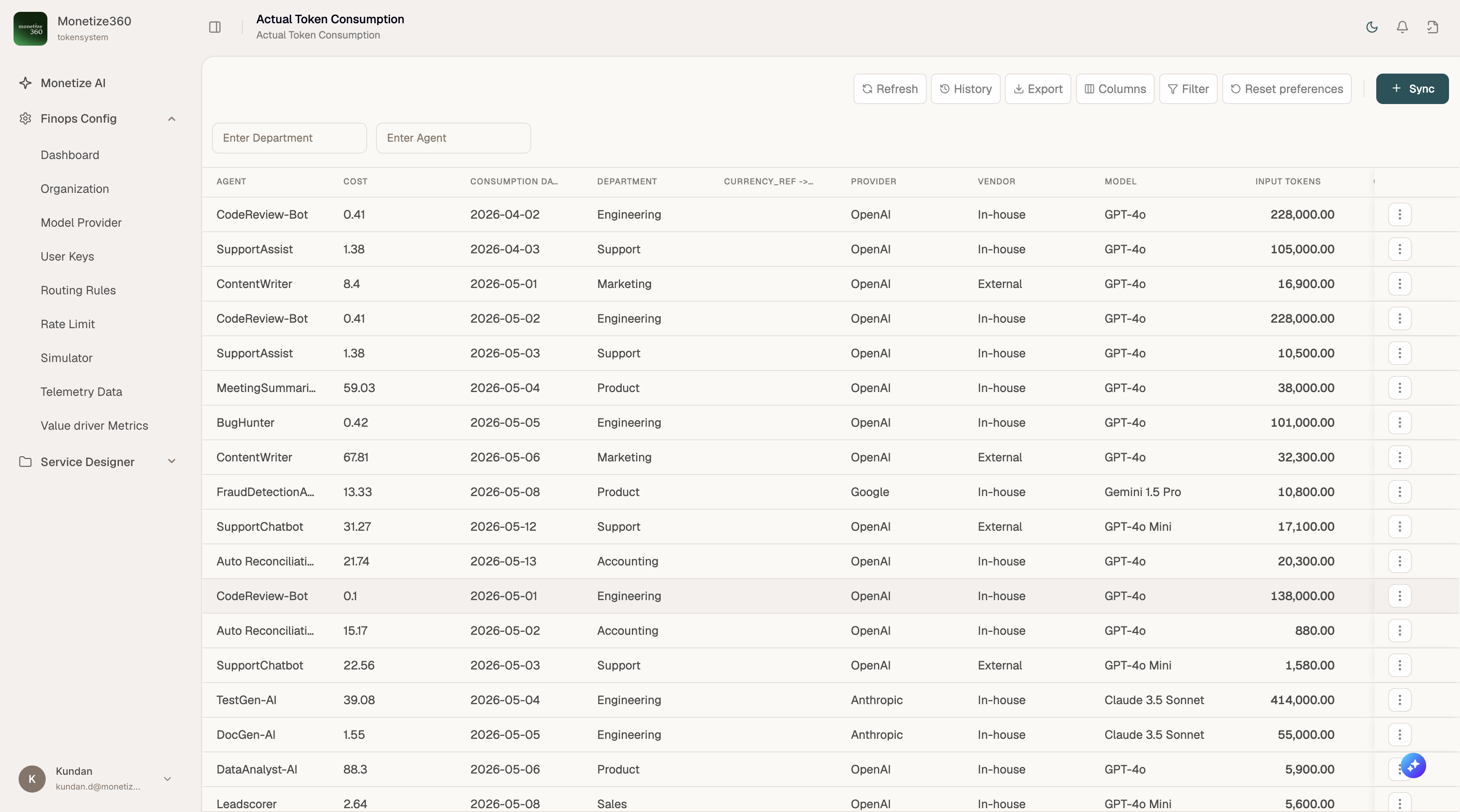
Table columns
| Column | Description |
|---|---|
| Agent | Application or agent identifier that initiated the request |
| Cost | Calculated spend for the row |
| Consumption Date | Date of usage |
| Department | Department attributed to the consumption |
| Currency | Currency for the cost field |
| Provider | Upstream provider used (after routing) |
| Vendor | In-house vs. external classification |
| Model | Model used for the request |
| Input Tokens | Prompt tokens consumed |
Use Enter Department and Enter Agent filters to narrow results.
Toolbar actions
| Action | Purpose |
|---|---|
| Refresh | Reload the latest data |
| History | View audit history for records |
| Export | Download data for spreadsheets or BI tools |
| Columns | Show or hide columns |
| Filter | Advanced filtering |
| + Sync | Sync consumption data from the gateway logs |
Related
- Dashboard — aggregated KPIs and trends
- Value Driver Metrics — business value attribution
- Simulator — generate test traffic and verify logging