Cursor
Add FinOps as a custom model in Cursor, configure MCP tools, and use virtual keys for team access control.
Cursor is an AI-powered IDE that supports OpenAI-compatible APIs and MCP (Model Context Protocol). By connecting Cursor to FinOps, you get access to any provider/model in your FinOps configuration, plus MCP tools and governance features like virtual keys.
If your Allowed Headers are already set to *, you can skip this note. If not and you face issues integrating FinOps with Cursor, try switching to * or adding the specific headers required by your client. By default, FinOps whitelists: Content-Type, Authorization, X-Requested-With, X-Stainless-Timeout, and X-Api-Key.
Setup
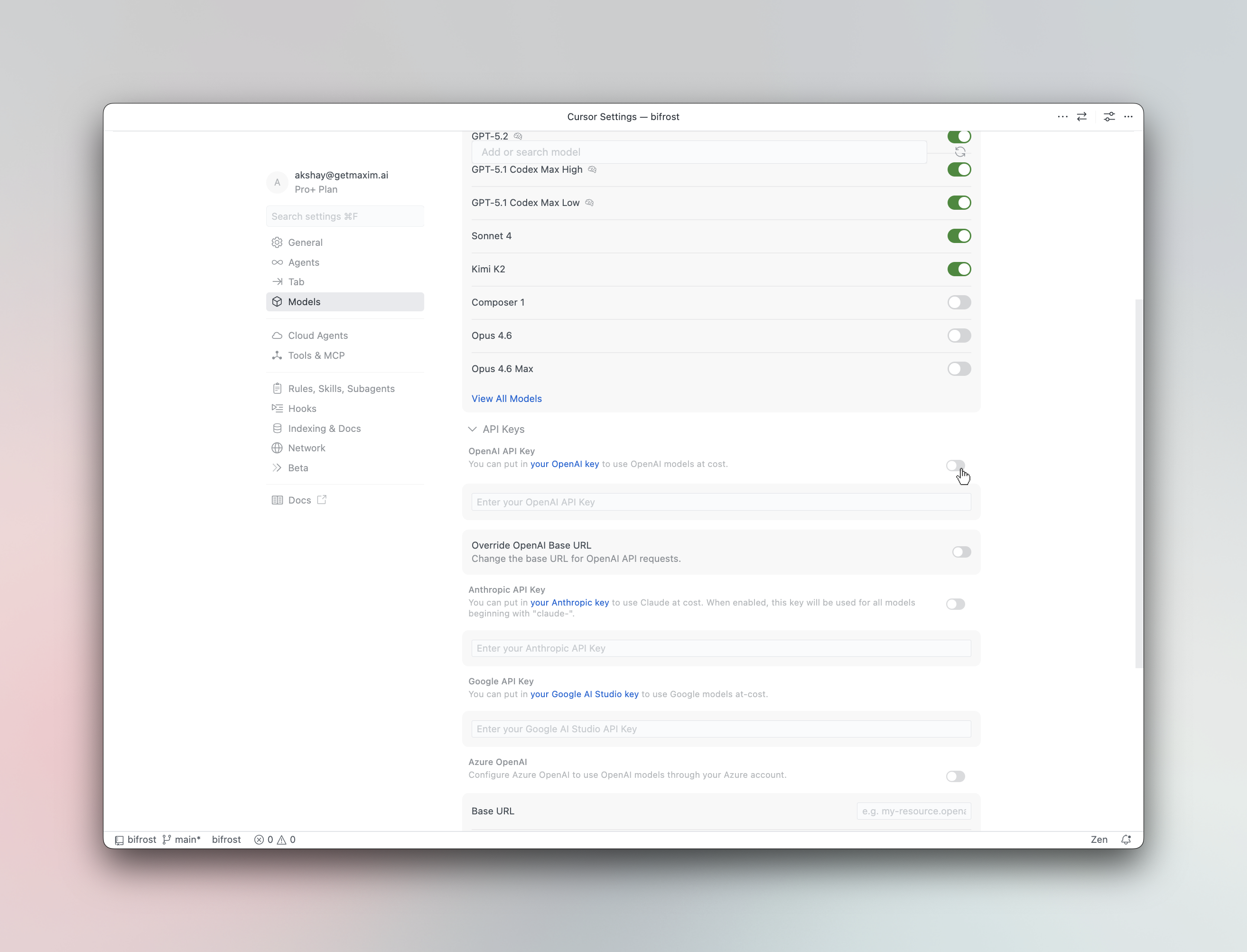
- Open Cursor Settings
Press Cmd+, (macOS) or Ctrl+, (Windows/Linux) and navigate to Models.
- Enter your API key
In the OpenAI API Key field, enter your FinOps virtual key or provider API key.
- Override the base URL
Toggle Override OpenAI Base URL to ON and enter your FinOps endpoint:
For cursor you need publicly accessible link for FinOps.
For deployed instances, use your FinOps deployment URL (e.g., https://finops.example.com/cursor).
- Add custom models (optional)
Type a model name in the Add or search model field using the provider/model-name format:
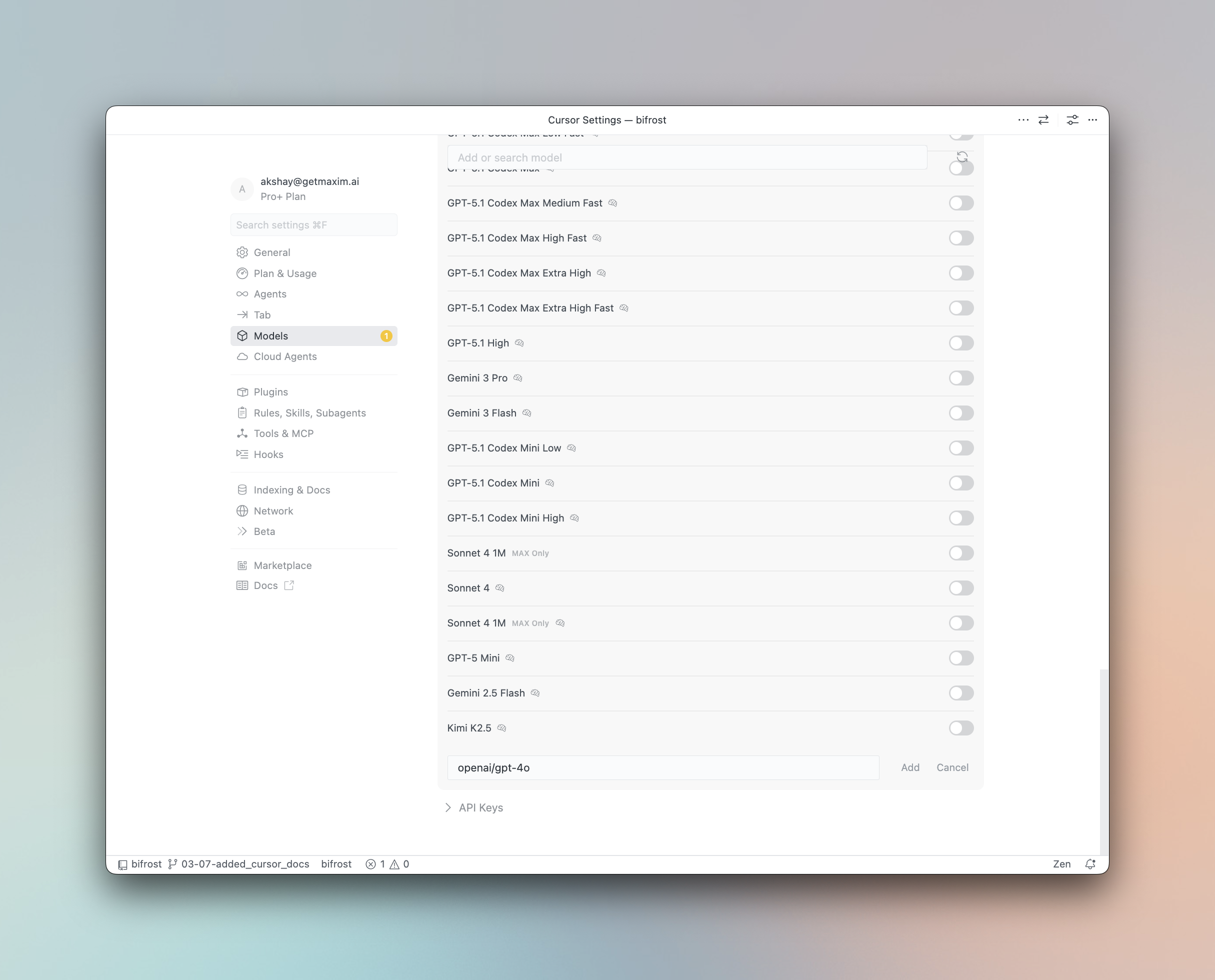
Examples: anthropic/claude-sonnet-4-5-20250929, openai/gpt-5, gemini-2.5-pro
| Provider | Format | Example |
|---|---|---|
| Anthropic | anthropic/model-name | anthropic/claude-sonnet-4-5-20250929 |
| Gemini | model-name | gemini-2.5-pro |
| OpenAI | openai/model-name | openai/gpt-5 |
| Bedrock | bedrock/model-name | bedrock/anthropic.claude-3 |
| Vertex (non-Gemini) | vertex/model-name | vertex/text-bison |
| Other providers | provider/model-name | groq/llama-3.3-70b-versatile |
Using Virtual Keys
FinOps Virtual Keys can be used as the OpenAI API Key in Cursor. Virtual keys let you enforce budgets, rate limits, and provider access controls for each user or team.
Model Selection
Cursor assigns models to different features - Chat, Agent, Inline Edit, and Tab Completion. After configuring FinOps, you can assign any provider/model-name to each feature for optimal cost and performance:
- Use a powerful model like
openai/gpt-5oranthropic/claude-sonnet-4-5-20250929for Agent mode - Use a fast model like
groq/llama-3.3-70b-versatilefor Tab completion
Using Multiple Providers
FinOps routes requests to the correct provider based on the model name. Use the provider/model-name format to access any configured provider through the single OpenAI-compatible endpoint:
anthropic/claude-sonnet-4-5-20250929
openai/gpt-5
gemini/gemini-2.5-pro
mistral/mistral-large-latest
Supported Providers
FinOps supports the following providers with the provider/model-name format:
openai, anthropic, azure, gemini, vertex, bedrock, mistral, groq, cerebras, cohere, perplexity, xai, ollama, openrouter, huggingface, nebius, parasail, replicate, vllm, sgl
Non-native models must support tool use for Cursor's agent mode and inline editing to work properly. Models without tool use support will only work for basic chat.
Cursor's "Override OpenAI Base URL" is a global setting that applies to all OpenAI-compatible models. This works well with FinOps since FinOps handles routing to the correct provider based on the model name.
Observability
All Cursor requests through FinOps are logged. Monitor them at {AI_GATEWAY_URL}/logs - filter by provider, model, or search through conversation content.