Model Provider
Provider Models
Define per-model input and output token pricing for cost tracking and budgets.
Each model under a provider needs pricing so FinOps can calculate spend, enforce budgets, and populate dashboard charts.
Navigate to Model Provider → select a provider → Model.
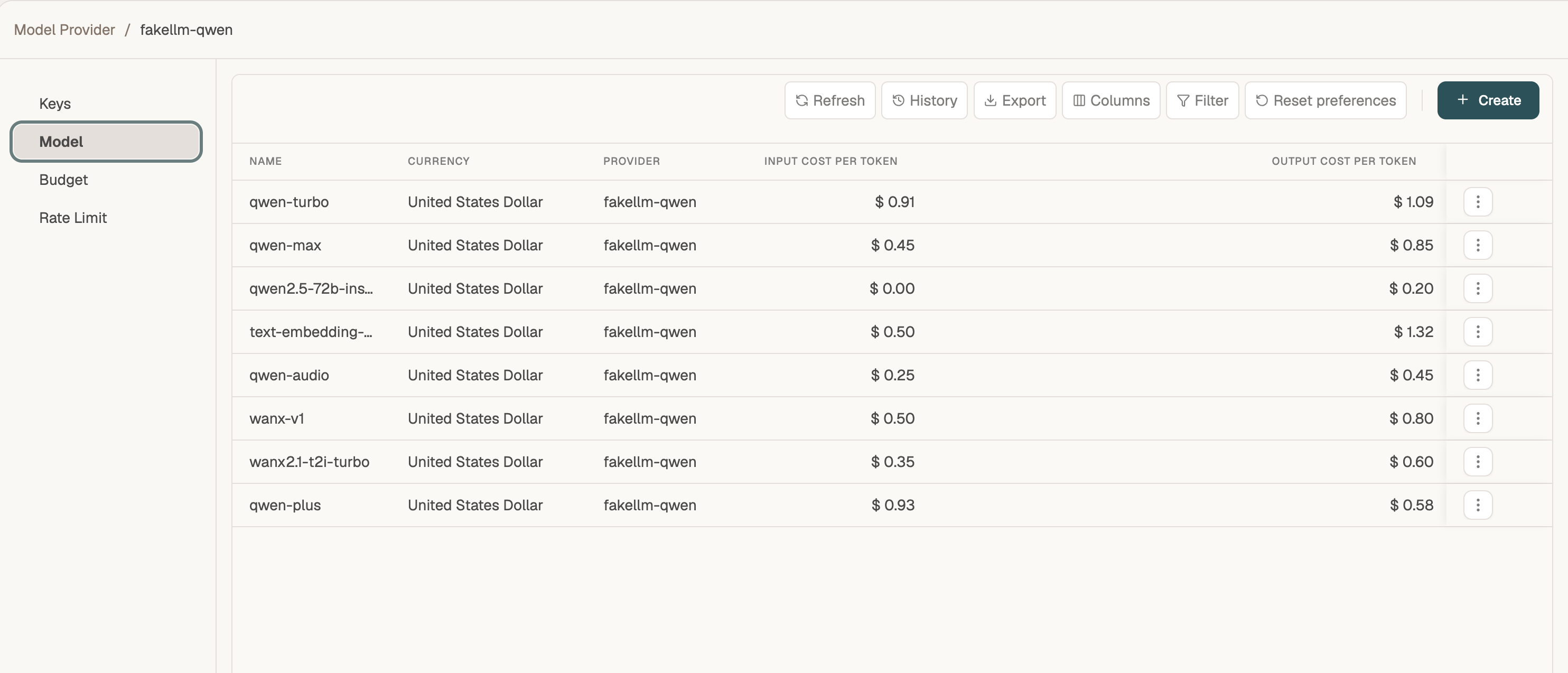
Model table
| Column | Description |
|---|---|
| Name | Model identifier as sent in API requests (e.g. gpt-4o-mini, qwen-turbo) |
| Currency | Currency for cost fields |
| Provider | Parent provider name |
| Input Cost Per Token | Price per input token |
| Output Cost Per Token | Price per output token |
Create a model
- Click + Create.
- Enter the Name exactly as your application or provider expects it.
- Set Input Cost Per Token and Output Cost Per Token for accurate Dashboard and Telemetry reporting.
- Select the Currency.
- Click Submit.
If pricing is left at zero, requests still work but cost metrics will show $0. Set realistic rates for FinOps visibility.
Related
- Organization Models — restrict which of these models each org may call
- Routing Rules — redirect traffic between models on the same or different providers