Token Factory
Models
Browse available models, read specifications, and compare two models.
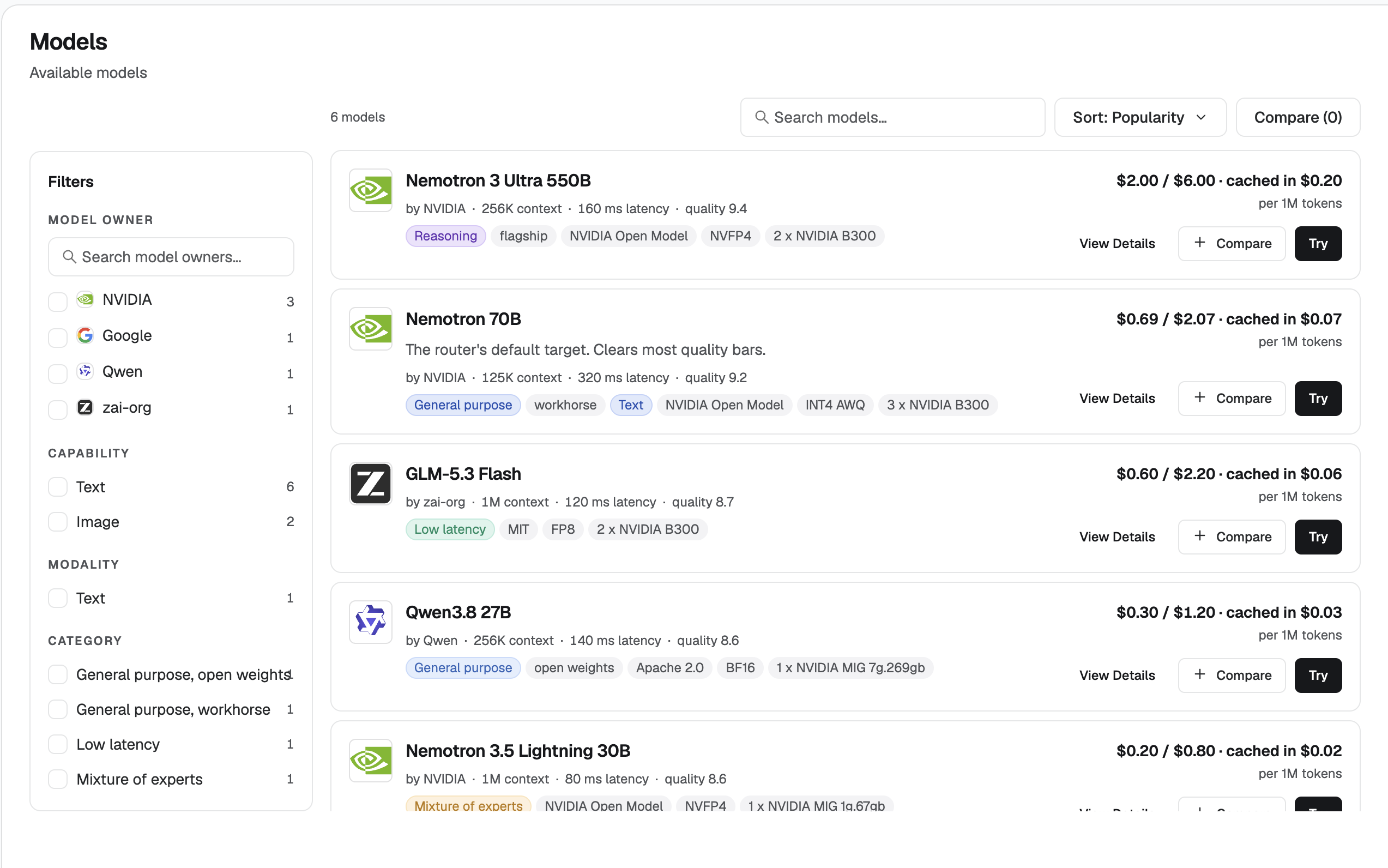
The Models page lists every model available to the account.
View model details
Open View details on a model to read:
- What the model is
- How many tokens it uses
- Its price
- Its latency
- The rest of the model specification
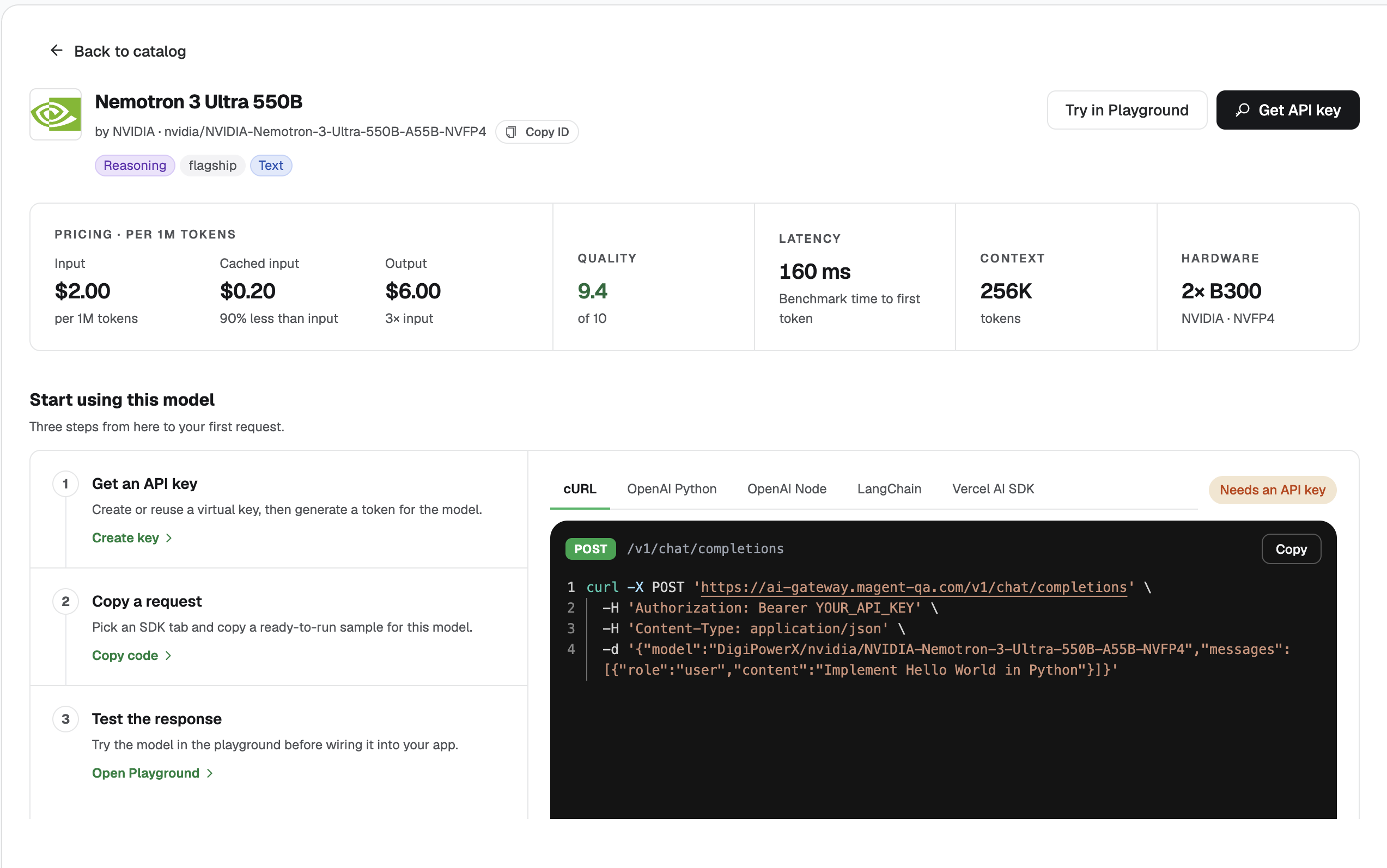
From the model you can:
- Generate an API key (see Keys)
- Start a chat in the playground (see Playground)
- Compare it with another model before you try it (see below)
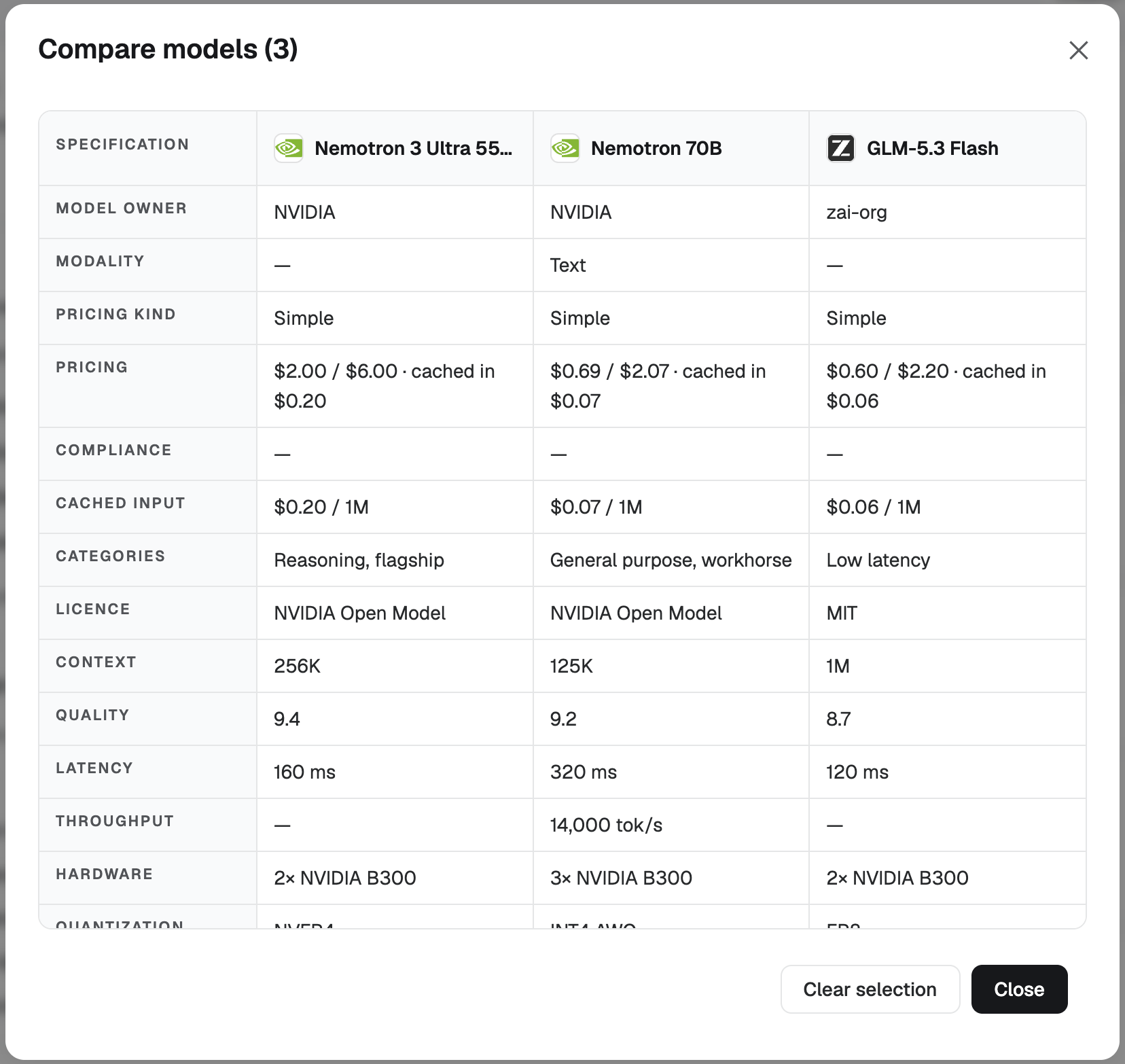
Compare specifications
Select two models and open the specification comparison. This view is the spec sheet only: capabilities, price, and latency side by side. It does not send a prompt.
To try a model from here, use Try. Generate a key first if you do not already have one.