
Component library overview
The Components panel lists every widget you can drag onto the canvas, grouped by category.
Category: All components
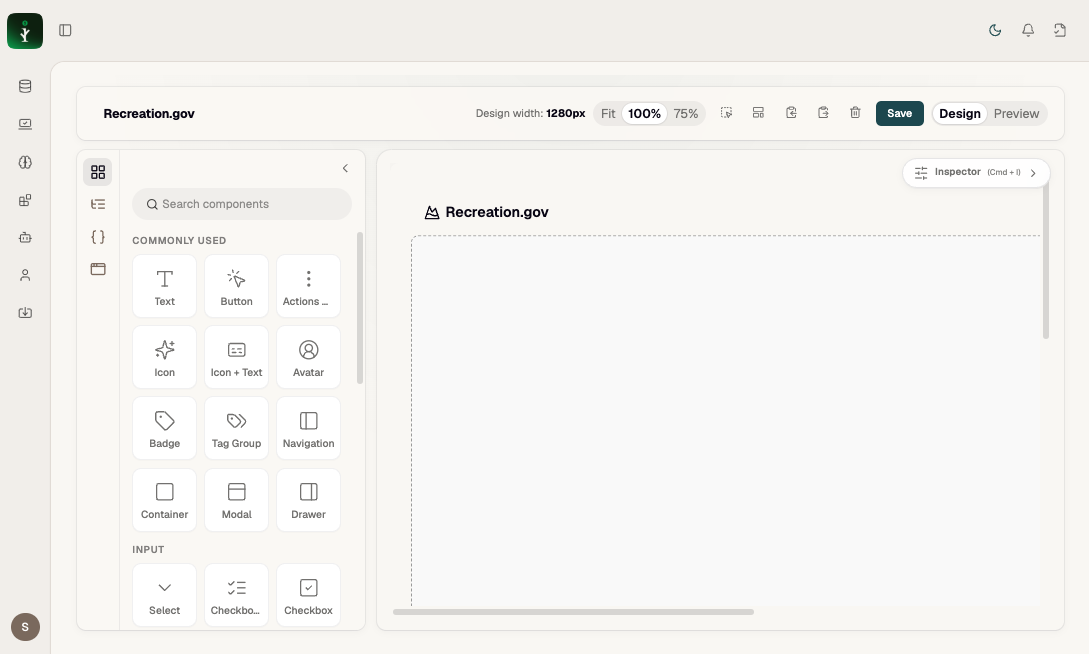
Figure: Commonly Used + start of Input category.
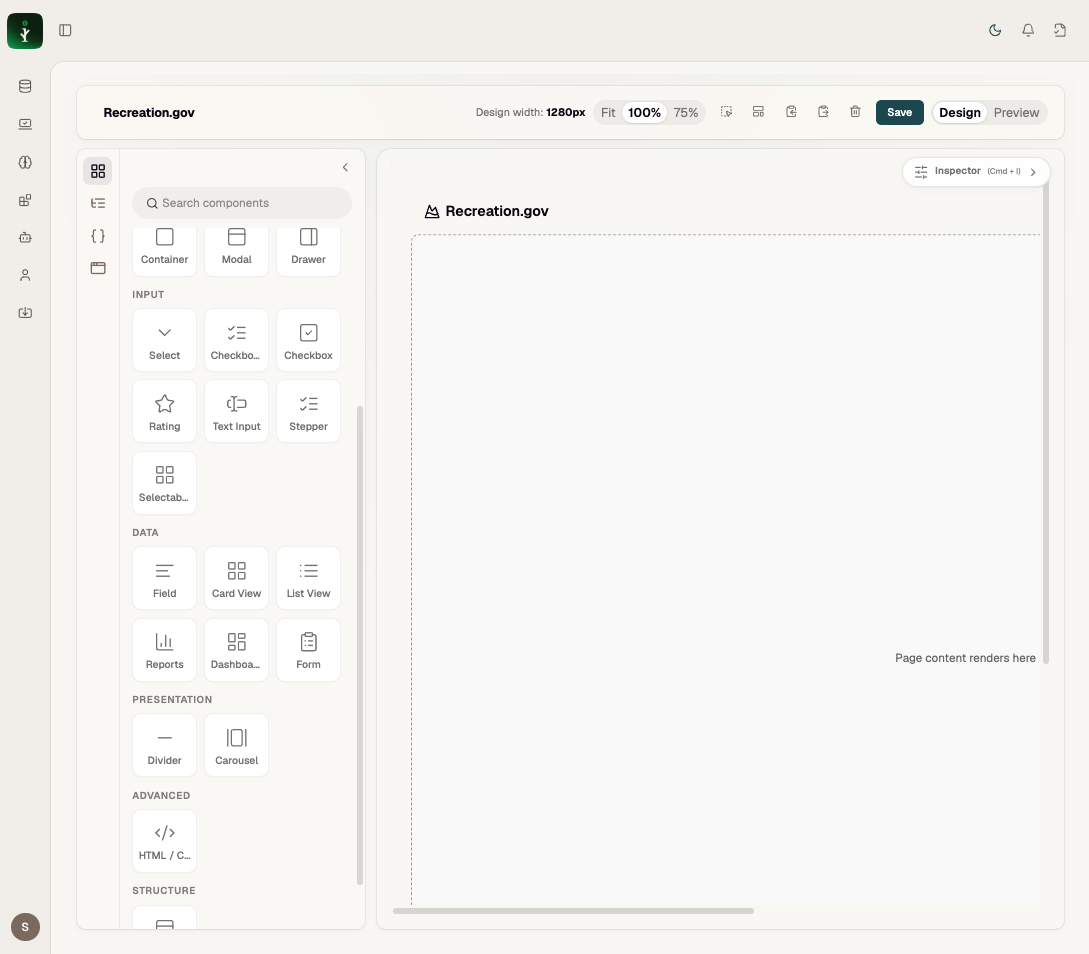
Figure: Input, Data, Presentation, Advanced, and Structure categories.
Tip: Use the search box to find "List", "Report", "Modal" quickly. Data components need a Data Source in Inspector after drop.
Problems it solves
Authors pick the right building block for each user problem instead of custom HTML.
How to use it
Nav rail → Components (Cmd+) → search or scroll categories → drag to canvas → configure in Inspector.
Examples
Categories: Commonly Used (UI chrome) · Input (forms) · Data (MPilot assets) · Presentation · Advanced · Structure.